Still here / Practising my patience
Edit with this captionWaiting for a reply memes with a little patience
Waiting for a reply memes with a little patience. Browse original reactions, choose a caption and edit a matching template. Download images for your next conversation.
Updated
The answer is on its way, the file is uploading or you need a moment to think. These waiting reactions cover both asking for patience and sharing the feeling of a slow reply. Choose the direction carefully so a light joke does not become pressure on the person receiving it.
When to send these memes
Use a waiting joke with a friend who will enjoy it. For an urgent work request, give a clear deadline and follow the agreed channel instead of sending repeated reminders.
Make the tone fit your conversation
Say whether you are waiting or asking for time. A short explanation such as “back after lunch” can make a playful image much easier to interpret.
Caption ideas to make your own
Choose a reaction or an editable template
Click any image to open it in the editor with its matching captions.
Back in a tiny minute
Ready-made reactionAI-assisted visualFor just a little longer. Choose a tone that fits your relationship.
Buffering a brilliant reply
Ready-made reactionAI-assisted visualFor just a little longer. Choose a tone that fits your relationship.

I will get back to you shortly
Ready-made reactionAI-assisted visualFor just a little longer. Choose a tone that fits your relationship.

Patience is a free feature
Ready-made reactionAI-assisted visualFor just a little longer. Choose a tone that fits your relationship.
Response buffering / Thinking harder than it looks
Ready-made reactionAI-assisted visualFor the moment between reading and understanding.
Message received / Brain loading
Ready-made reactionAI-assisted visualA pixel hourglass for an explanation still in progress.
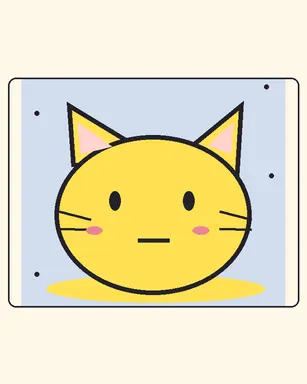
Patiently waiting cat
Editable templateAI-assisted visualFor waiting on an update without a sharp reminder.
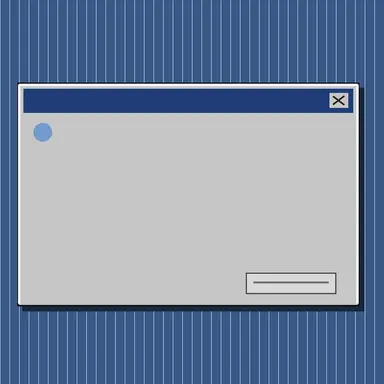
Response buffering
Editable templateAI-assisted visualFor the moment between reading and understanding.

Brain loading screen
Editable templateAI-assisted visualA pixel hourglass for an explanation still in progress.
Questions about this reply pack
When should I use a waiting meme?
Use a waiting joke with a friend who will enjoy it. For an urgent work request, give a clear deadline and follow the agreed channel instead of sending repeated reminders.
Can I change the caption?
Open an editable template from this pack or choose an example caption. Adjust the words in your browser and export PNG or WebP. Ready-made reactions can be downloaded from their image page.
How do I share one in a chat?
Open a reaction and choose Share image, copy or download. On supported devices the share sheet receives an image file. Your messaging app controls insertion and sending. Check the permissions shown on each image for your intended use.